
If you are a salaried employee in India, knowing how to use Form 16 to file ITR is one of the most important financial skills you need every year. With the ITR filing deadline of July 31, 2026 approaching fast, millions of salaried taxpayers are now receiving Form 16 from their employers. But simply having Form 16 is not enough — you need to understand what it contains, how to verify it, and how to use it correctly to file your income tax return without errors or tax notices.
This comprehensive guide explains exactly how to use Form 16 to file ITR step by step, covering everything from understanding its two parts to cross-checking it with Form 26AS and AIS, avoiding common mistakes, and completing your ITR filing smoothly on the Income Tax e-filing portal.
What Is Form 16? A Quick Overview
Before diving into how to use Form 16 to file ITR, you must understand what this document actually is. Form 16 is a TDS (Tax Deducted at Source) certificate issued by your employer under Section 203 of the Income Tax Act, 1961. It is proof that your employer has deducted tax from your salary and deposited it with the Government of India on your behalf.
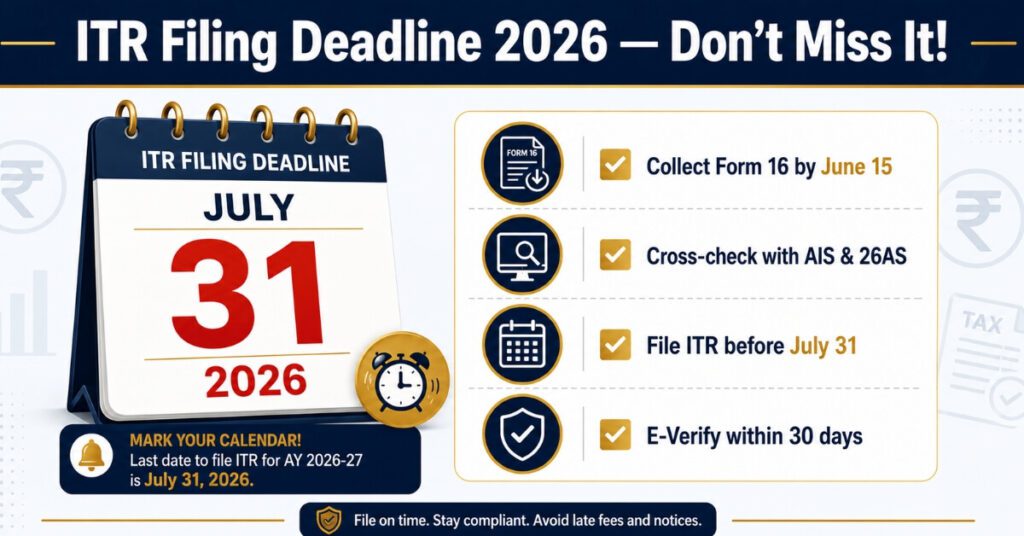
Every salaried employee whose employer has deducted TDS is legally entitled to receive Form 16 by June 15 of the assessment year. For FY 2025-26 (AY 2026-27), employers must issue Form 16 by June 15, 2026.
Important 2026 Update: Under the new Income Tax Act 2025, Form 16 has been renumbered as Form 130 effective from Tax Year 2026-27 (April 1, 2026) onwards. However, for FY 2025-26, your employer will continue to issue the existing Form 16 as usual. This means the process of how to use Form 16 to file ITR remains the same for FY 2025-26 — nothing changes for this year’s filing. This guide covers everything you need to know about how to use Form 16 to file ITR for the current assessment year AY 2026-27.
Part A and Part B of Form 16 Explained
Understanding both parts is essential when learning how to use Form 16 to file ITR accurately.
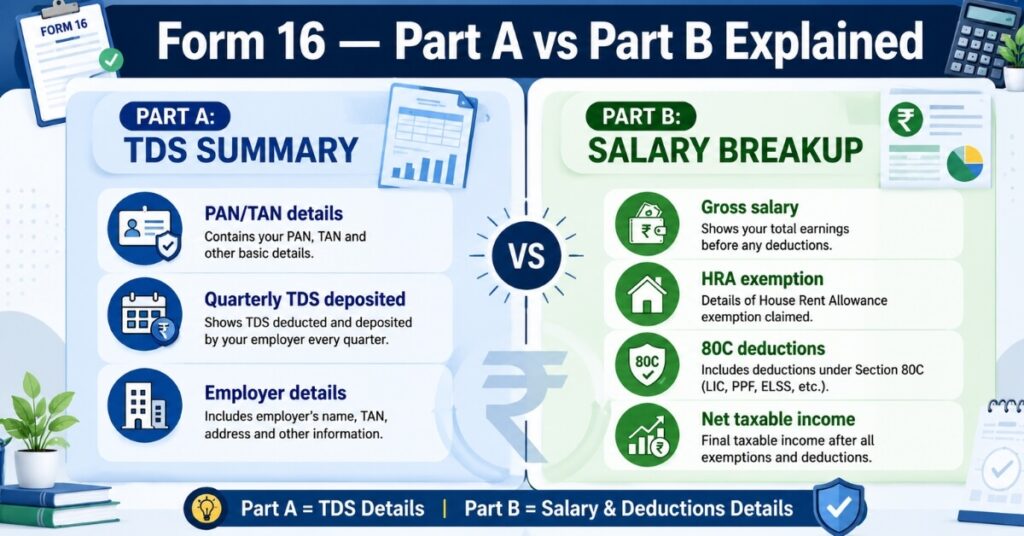
Part A — TDS Summary
Part A of Form 16 is generated directly from the TRACES portal (TDS Reconciliation Analysis and Correction Enabling System) maintained by the Income Tax Department. It contains:
Name and address of both employer and employee
PAN of the employee and TAN of the employer
Assessment year and period of employment
Quarterly details of TDS deducted and deposited with the government
Challan or book identification numbers for TDS deposits
Part A is a government-verified document. Any mismatch here with Form 26AS can create problems when you file your ITR.
Part B — Salary and Deductions Breakup
Part B is prepared by your employer and provides:
Gross salary details
Exemptions like HRA (House Rent Allowance) and LTA
Standard deduction of ₹50,000 (or ₹75,000 as updated)
Deductions under Section 80C, 80D, 80E, and other sections
Net taxable income after all deductions
Total tax payable and TDS already deducted
Part B is the most important section when you want to understand how to use Form 16 to file ITR because it directly maps to the income and deduction fields in your ITR form.
Step-by-Step: How to Use Form 16 to File ITR
Here is the complete process for how to use Form 16 to file ITR for FY 2025-26:
Step 1 — Collect and Verify Your Form 16
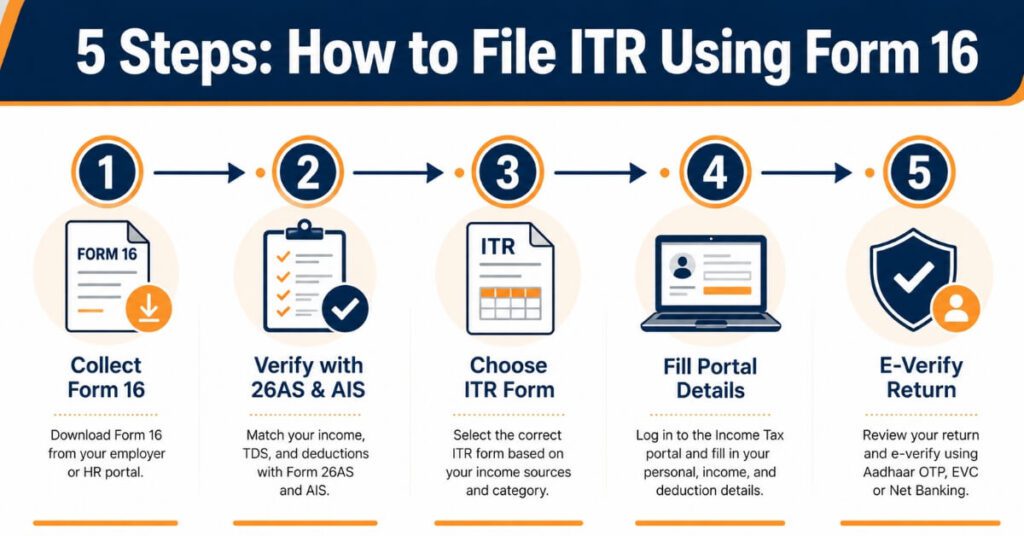
The very first step in understanding how to use Form 16 to file ITR is to collect it from your employer’s HR or finance department. Once you receive it, do not rush to file immediately. Carefully check:
Your PAN number (incorrect PAN means TDS credit will not reflect in Form 26AS)
Your name and address
Employer’s name, PAN, and TAN
Assessment year (should be AY 2026-27 for FY 2025-26)
TDS amount in Part A matches your payslips
Even a small error in personal details can cause problems in processing your income tax return.
Step 2 — Cross-Check with Form 26AS and AIS
This step is critical for anyone learning how to use Form 16 to file ITR without receiving tax notices later. Log in to the Income Tax e-filing portal (incometax.gov.in) and download:
Form 26AS — Annual tax credit statement showing all TDS deducted against your PAN number from all sources.
AIS (Annual Information Statement) — A comprehensive document that includes additional income sources such as interest income, dividend income, capital gains, and other financial transactions that may not appear in Form 16.
Compare:
TDS shown in Form 16 Part A with TDS in Form 26AS
Income sources in AIS with income declared in Form 16
Any interest income, dividends, or capital gains in AIS that are not in Form 16 must be added separately in your ITR
If there are discrepancies in AIS, report them immediately through the feedback option on the Income Tax portal and retain supporting evidence.
Step 3 — Choose the Correct ITR Form
Knowing how to use Form 16 to file ITR also means choosing the right ITR form:
| ITR Form | Who Should Use It |
| ITR-1 (Sahaj) | Salaried income + one house property + other sources up to ₹50 lakh |
| ITR-2 | Salaried income + capital gains or multiple house properties |
| ITR-3 | Business/profession income along with salary |
| ITR-4 (Sugam) | Presumptive income under Sections 44AD/44ADA/44AE |
Most salaried employees with straightforward income will use ITR-1.
Step 4 — Log In to the Income Tax Portal and Start Filing
Go to incometax.gov.in and log in with your PAN as user ID. Navigate to e-File → Income Tax Returns → File Income Tax Return → Select AY 2026-27.
The portal now auto-populates pre-filled data from your AIS and Form 26AS. However, do not blindly trust this pre-filled data. Always verify the pre-filled information against your Form 16 Part B before proceeding.
Go to the Income Tax e-filing portal and log in with your PAN as user ID.
Step 5 — Fill in Salary and Deduction Details from Form 16 Part B
This is the core of understanding how to use Form 16 to file ITR. Use Part B to fill in:
Gross salary from your employer
HRA exemption (if applicable)
Standard deduction
Professional tax paid
Deductions under Section 80C (PPF, ELSS, LIC premium, home loan principal, etc.)
Deductions under Section 80D (health insurance premium)
Any other eligible deductions
Note: If some deductions are not reflected in Form 16 (because you didn’t submit proofs to your employer on time), you can still claim them directly while filing your ITR.
Step 6 — Add Income Not in Form 16
This is a step many salaried employees miss. When learning how to use Form 16 to file ITR, remember that Form 16 only covers your salary income. You must additionally declare:
Savings account interest income (taxable above ₹10,000 under Section 80TTA)
Fixed deposit interest income (fully taxable)
Dividend income
Capital gains from mutual funds or shares
Any freelance or other income
All taxable income including foreign income must be included in your ITR even if it is not in Form 16 or Form 16A.
Step 7 — Choose Your Tax Regime
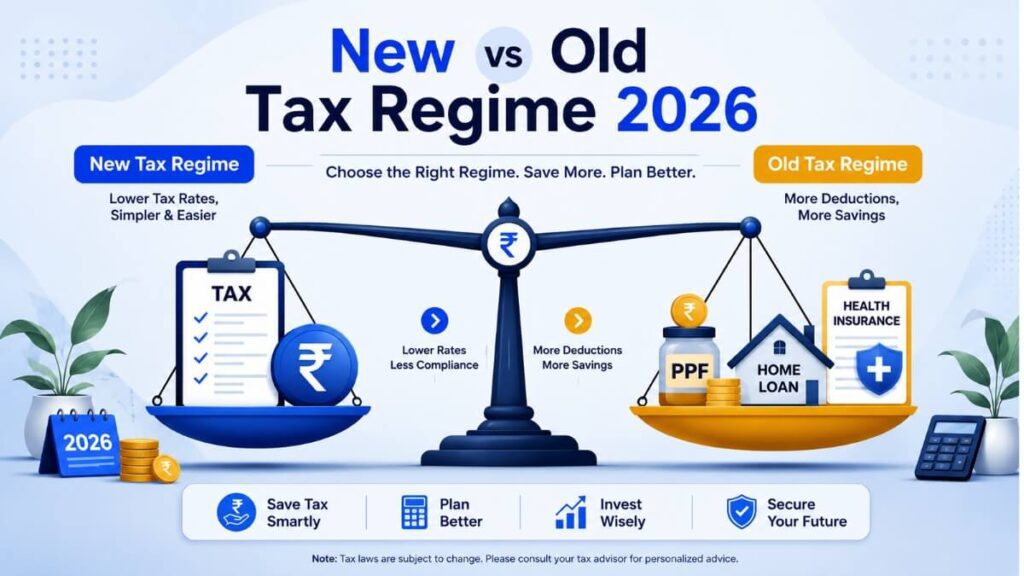
From FY 2023-24 onwards, the New Tax Regime is the default. When using how to use Form 16 to file ITR knowledge in practice, compare both regimes before selecting:
Old Tax Regime — Allows deductions under 80C, 80D, HRA, etc.
New Tax Regime — Lower slab rates but most deductions not available
The portal will calculate tax under your selected regime automatically. If you have significant deductions, compare both before finalising.
“Once your ITR is filed and refund is received, consider putting that money to work — read our complete guide on how to build a 1 crore portfolio in India using SIPs and mutual funds.”
Step 8 — Pay Any Remaining Tax (Self-Assessment Tax)
After filling in all details, if there is any additional tax payable beyond TDS already deducted, pay it as Self-Assessment Tax using Challan 280 before submitting your return. Only file your ITR after this payment is made and challan details are entered in the return.
Step 9 — Submit and E-Verify Your ITR
Submit your return and complete e-verification immediately. E-verification is mandatory — an unverified ITR is treated as invalid by the Income Tax Department. Options include:
Aadhaar OTP (fastest and most common)
Net banking
Bank account EVC
Demat account EVC
DSC (Digital Signature Certificate)
Complete e-verification within 30 days of filing to avoid any issues.
What If You Have Multiple Form 16s?
If you changed jobs during FY 2025-26, you will receive a separate Form 16 from each employer. Here is how to use Form 16 to file ITR in such cases:
Collect Form 16 from all employers
Combine income from all Form 16s in your ITR
Standard deduction cannot be claimed twice — only one ₹50,000/₹75,000 deduction applies
Check that TDS from all employers is reflected in Form 26AS
Provide your new employer with salary details from the previous employer so TDS is correctly calculated
When you change jobs mid-year without informing the new employer of previous salary, each company may independently give you the basic exemption benefit, resulting in lower TDS. This can lead to a tax demand when you file your ITR.
What If You Have Not Received Form 16?
Understanding how to use Form 16 to file ITR also includes knowing what to do if your employer does not issue it. If your employer has deducted TDS but not issued Form 16:
1 .Formally request it from HR or finance department
2 .If still not received, use Form 26AS, AIS, and monthly payslips to file your ITR manually
3 .Your employer is liable for penalties for not issuing Form 16 despite deducting TDS
If no TDS was deducted because your income was below the taxable limit, the employer is not legally required to issue Form 16. You can still file your ITR using your payslips and Form 26AS.
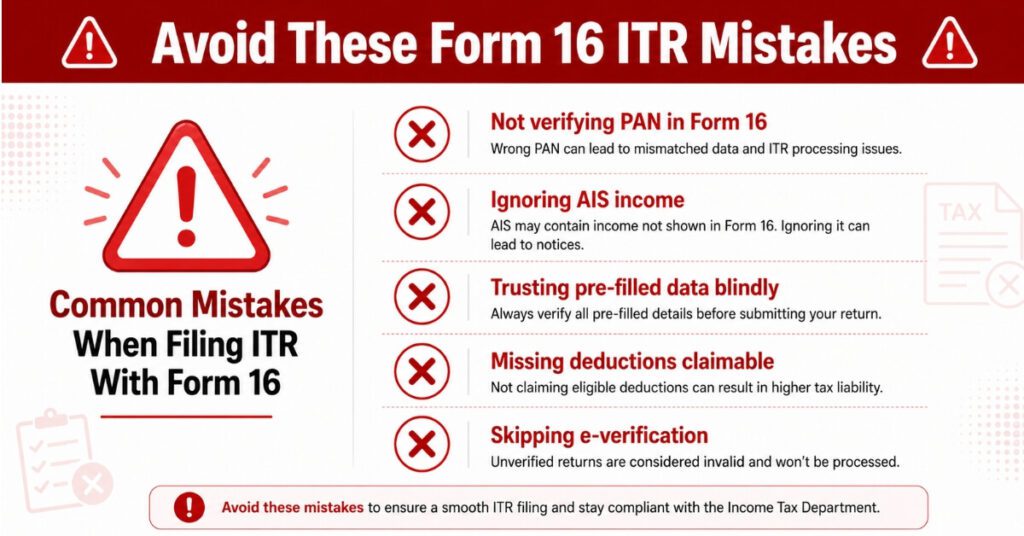
Common Mistakes to Avoid When Using Form 16 for ITR
Even experienced taxpayers make errors. Here are the most common mistakes to avoid when applying how to use Form 16 to file ITR knowledge:
1 Not verifying PAN in Form 16 — Wrong PAN means TDS credit is lost
2 .Ignoring AIS income — Interest, dividends, and capital gains in AIS must be declared
3 .Not combining multiple Form 16s — Leads to underreporting of income
4.Trusting pre-filled data blindly — Always cross-check against Form 16 Part B
5.Missing deductions — Deductions not in Form 16 can still be claimed in ITR
6 .Not paying self-assessment tax before filing — Leads to defective return notice
7 .Skipping e-verification — Unverified return is treated as not filed
Documents to Keep for 6 Years
An important but often forgotten aspect of how to use Form 16 to file ITR is document retention. Keep the following for at least six years:
Form 16 and Form 16A from all employers
Form 26AS and AIS downloads
Investment proofs for 80C deductions
Rent receipts for HRA claims
Bank statements showing interest income
Payslips for the entire financial year
FAQs — How to Use Form 16 to File ITR
Q1. Is Form 16 mandatory to file ITR?
No, Form 16 is not mandatory to file ITR. You can file using Form 26AS, AIS, and salary payslips. However, having Form 16 makes the process significantly more accurate and easier.
Q2. By when will I receive Form 16 for FY 2025-26?
Your employer must issue Form 16 for FY 2025-26 (AY 2026-27) by June 15, 2026 as per CBDT rules.
Q3. What is the difference between Form 16 and Form 16A?
Form 16 is issued by your employer for TDS on salary income. Form 16A is issued by banks, financial institutions, or other deductors for TDS on non-salary income like interest, professional fees, rent, or commission.
Q4. Can I claim deductions not mentioned in Form 16?
Yes. If you did not submit proof of deductions to your employer before the deadline, those deductions are not included in Form 16. You can still claim them directly while filing your ITR on the portal.
Q5. What happens if Form 16 and Form 26AS do not match?
Contact your employer immediately and request a revised TDS return to correct the mismatch. If unresolved before the filing deadline, file using correct figures and report the discrepancy. Mismatches can result in tax notices.
Q6. Can I use the same Form 16 process after it is renamed Form 130 in 2026-27?
The process of using how to use Form 16 to file ITR remains essentially the same even after Form 16 is renamed as Form 130 from AY 2027-28. Only the document name and format will change slightly.
Q7. What if I have income from mutual funds not in Form 16?
Capital gains from mutual funds, dividends, and interest income not covered in Form 16 must be declared separately in your ITR using details from your AIS, broker statements, and bank records.
Q8. How many times can I revise my ITR after filing?
You can file a revised ITR any number of times before December 31 of the assessment year (December 31, 2026 for AY 2026-27), if you discover errors or omissions after original filing.
Conclusion
Understanding how to use Form 16 to file ITR is a fundamental skill every salaried taxpayer in India should master. Form 16 contains all the key information about your salary, tax deductions, and exemptions for the financial year — but it is not the only document you need. Always cross-verify it with Form 26AS and AIS, declare all other income sources, choose the right tax regime, and complete e-verification after filing.
With ITR filing for FY 2025-26 now open and the deadline of July 31, 2026 approaching, the best time to act is now. If you have been wondering how to use Form 16 to file ITR correctly, this guide has covered every step you need. Gather your Form 16, log in to the Income Tax portal, and follow the steps outlined above. Understanding how to use Form 16 to file ITR ensures you do not miss any deductions or income declarations.
A correctly filed ITR not only keeps you tax-compliant but also helps you claim the rightful refund if excess TDS has been deducted. Thousands of salaried employees overpay tax every year simply because they do not know how to use Form 16 to file ITR the right way — do not be one of them. Take 30 minutes today, follow this guide on how to use Form 16 to file ITR, and submit your return with full confidence before the deadline.
Keep your Form 16 and Form 16A safely for at least six years along with all supporting documents. When in doubt about complex tax situations involving capital gains, multiple employers, or foreign income, consult a qualified Chartered Accountant or tax professional.
Disclaimer
The information provided in this article on how to use Form 16 to file ITR is for general educational and informational purposes only. It does not constitute professional tax advice, legal advice, or financial advice. Tax laws and rules are subject to change by the Government of India and CBDT. Readers are advised to verify all information with official sources such as the Income Tax Department website (incometax.gov.in) or consult a qualified Chartered Accountant or tax professional for their specific tax situation. SK Smart Digital Hub and its authors are not responsible for any errors, omissions, or outcomes resulting from the use of this information.

Pingback: Fixed Deposit vs Mutual Fund: Smart Choice 2026