
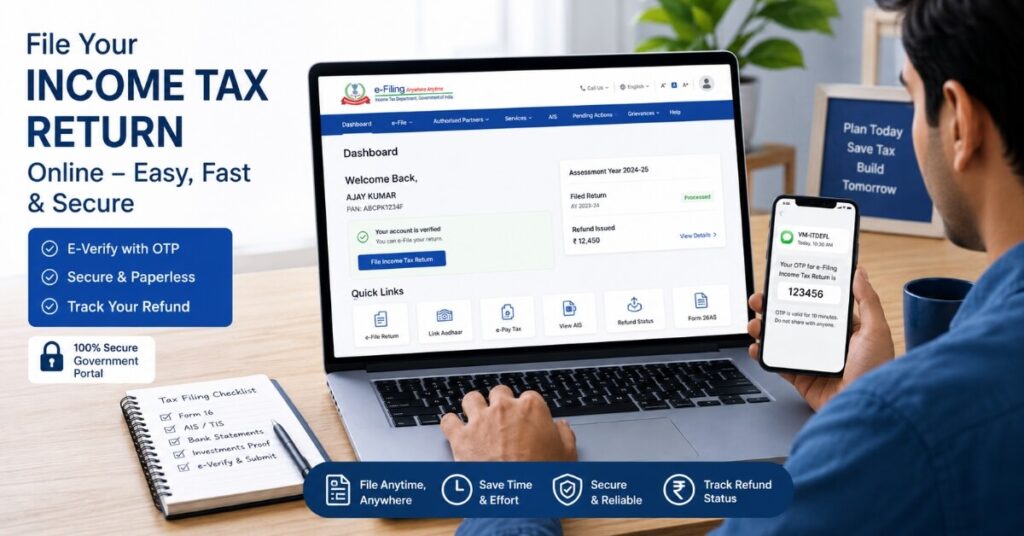
Filing your Income Tax Return is only half the job done. The final and most important step is to know how to e-verify income tax return online — without this, your ITR will not be considered valid by the Income Tax Department. Many taxpayers miss this crucial step and end up with an invalid return, penalties, or delayed refunds. This year, with July 31, 2026 as the filing deadline for FY 2025-26, completing how to e-verify income tax return online on time is more important than ever.
In this complete guide, you will learn exactly how to e-verify income tax return online using all six available methods, what you need before you begin, the deadline to remember, common mistakes to avoid, and answers to the most frequently asked questions. Whether you are a salaried employee, a freelancer, or a small business owner, this guide covers everything you need to know about completing the process accurately and on time.
What Is e-Verification of ITR?
e-verification is the digital process of authenticating your Income Tax Return after you have submitted it on the Income Tax e-filing portal. It confirms that the return has been genuinely filed by you and that the information submitted is accurate. Understanding how to e-verify income tax return online is a mandatory requirement — not an optional step.
Without completing e-verification, your ITR submission is incomplete. The Income Tax Department will not process your return, and you will not receive your refund. This is why every salaried employee, freelancer, and small business owner must know how to e-verify income tax return online before the 30-day deadline expires.
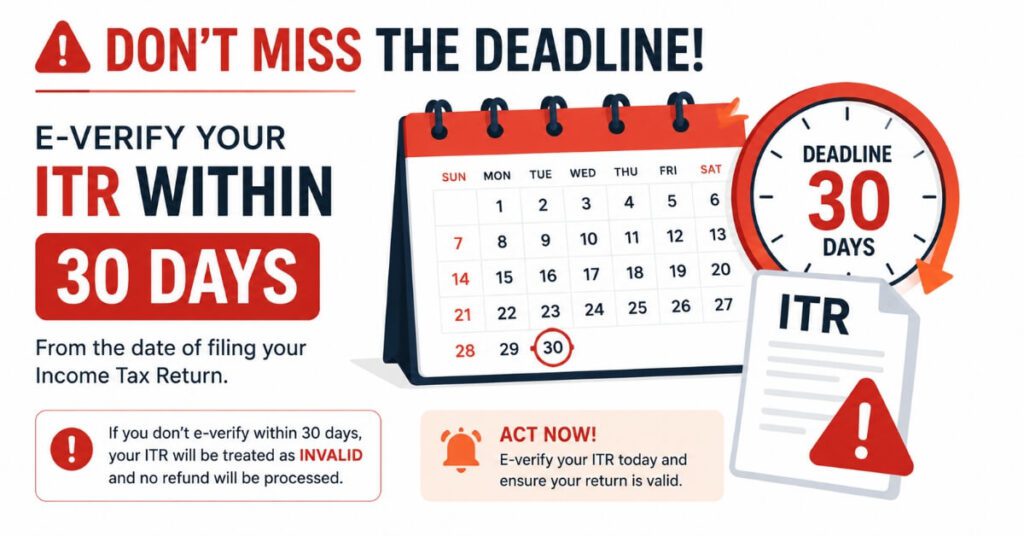
You must complete e-verification within 30 days from the date of filing. If you miss this window, your return may be treated as invalid and you may need to file a condonation of delay request with the department.
Why Is e-Verification Mandatory?
Before the introduction of e-verification, taxpayers had to send a physical signed copy of ITR-V to CPC Bengaluru via post. This was time-consuming, expensive, and prone to postal delays. The digital system completely replaced this process. Today, knowing how to e-verify income tax return online is the standard for all ITR filers across India.
e-verification is mandatory for the following reasons. It authenticates your identity as the genuine filer and prevents fraudulent submissions. It eliminates the risk of returns being filed in your name without your knowledge. It speeds up the refund process significantly. It confirms that data submitted on the portal matches your actual documents and records.
The Income Tax Department introduced the 30-day window to ensure timely processing of all returns. Missing this deadline can result in your return being treated as not filed at all, making it essential that all taxpayers understand how to e-verify income tax return online before they file.
Deadline to e-Verify Your ITR
The deadline to complete e-verification is 30 days from the date of filing. This is a strict timeline. If you file your ITR on July 20, 2026, you must complete e-verification by August 19, 2026. The earlier you know how to e-verify income tax return online and complete it, the better.
If you miss the 30-day window, you can still verify by submitting a condonation of delay request on the portal. However, the request must be approved by the department before your return becomes valid, which adds unnecessary delays to your refund.
For FY 2025-26, the ITR deadline is July 31, 2026. Best practice is to complete the entire process — filing and knowing how to e-verify income tax return online — in one single session to avoid any last-minute complications.
What Do You Need Before You Begin?
Before you start, keep the following ready. Your PAN must be linked with Aadhaar, which is mandatory for the Aadhaar OTP method. You need your login credentials for the Income Tax e-filing portal at incometax.gov.in. Your Aadhaar-linked mobile number must be active for OTP delivery. A pre-validated bank account or demat account is needed for the EVC method.
Net banking access is required if you choose net banking verification. A valid Digital Signature Certificate along with the emSigner utility is required for the DSC method. Your ITR acknowledgement number is needed if you are verifying without logging in.
All Available Methods — How to e-Verify Income Tax Return Online
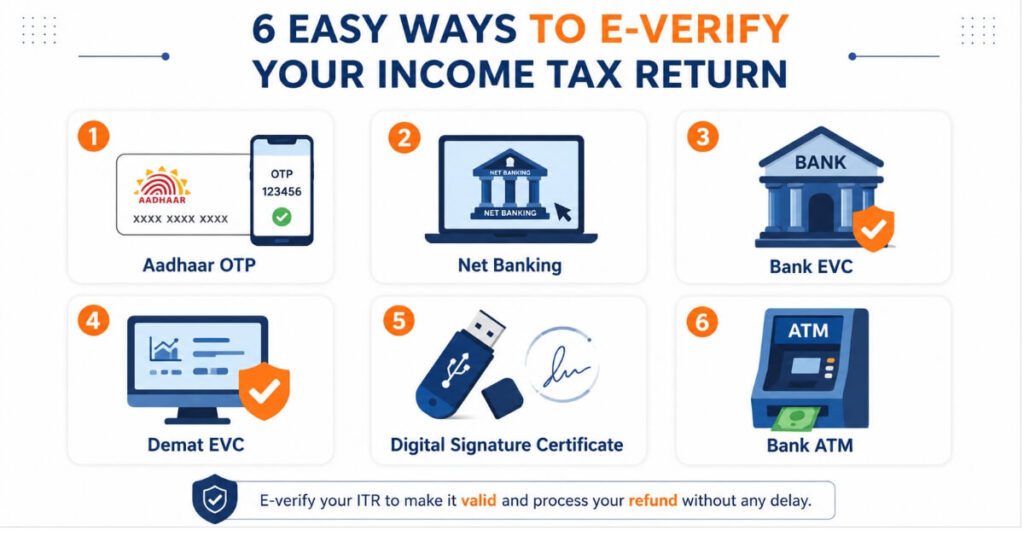
There are six main methods to understand how to e-verify income tax return online. Each method suits different types of taxpayers based on their banking setup, technical access, and personal preference. Let us look at each method in complete detail.
Method 1: Aadhaar OTP Method
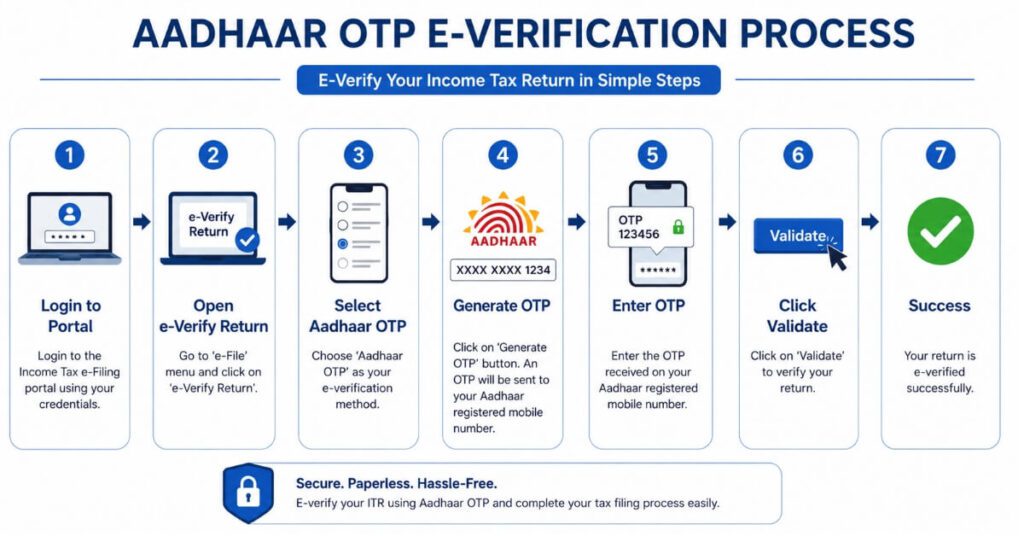
The Aadhaar OTP method is the simplest and most widely used approach for how to e-verify income tax return online. It works only if your PAN is linked with Aadhaar and your Aadhaar is linked to an active mobile number.
Step 1: Log in to incometax.gov.in using your PAN, password, and date of birth.
Step 2: Go to e-File, select Income Tax Returns, then click e-Verify Return.
Step 3: Your filed returns will be listed. Click e-Verify against the return you want to authenticate.
Step 4: Select I would like to verify using OTP on mobile number registered with Aadhaar.
Step 5: Confirm your Aadhaar details and click Generate Aadhaar OTP.
Step 6: Enter the six-digit OTP received on your registered mobile number within the validity period.
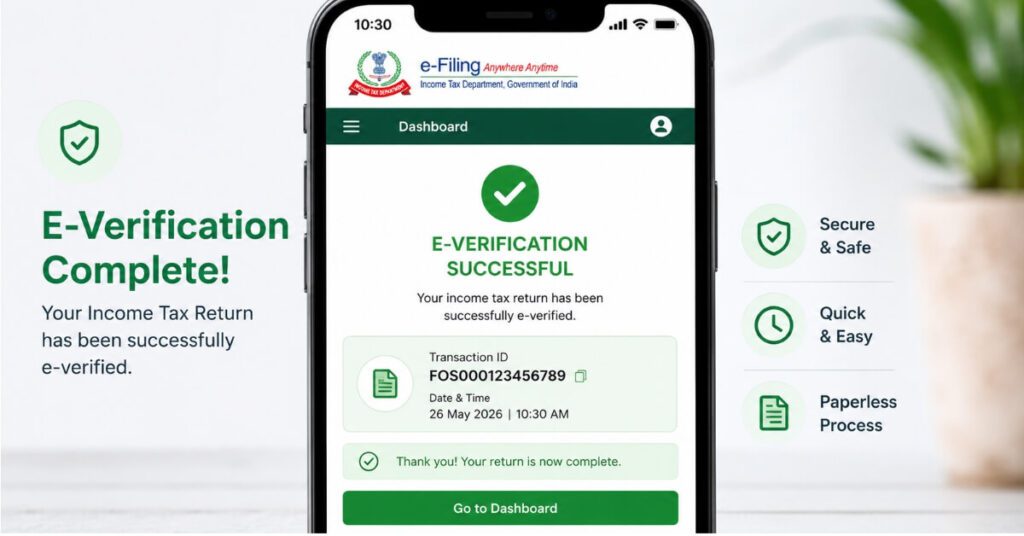
Step 7: Click Validate. A success message with a Transaction ID confirms that this method of how to e-verify income tax return online is complete. A confirmation is also sent to your registered mobile and email.
This entire process takes less than two minutes, making it the fastest method for individual taxpayers.
Method 2: Net Banking Method
This method suits those who regularly use internet banking. Major banks including SBI, HDFC, ICICI, Axis, and Kotak support direct integration with the Income Tax e-filing portal.
Step 1: Log in to your bank’s net banking portal.
Step 2: Find the Income Tax e-filing option, usually under Tax or Government Services.
Step 3: Click the link to be redirected to the Income Tax portal with your session authenticated automatically.
Step 4: Navigate to e-File, Income Tax Returns, then e-Verify Return.
Step 5: Select your filed return and click e-Verify.
Step 6: Choose the net banking verification option and confirm.
Step 7: A success message with a Transaction ID appears, confirming completion.
Method 3: EVC Through Pre-Validated Bank Account
Electronic Verification Code or EVC is a 10-digit alphanumeric code generated through your pre-validated bank account. This is one of the most reliable alternatives for how to e-verify income tax return online without Aadhaar OTP.
Step 1: Log in to the Income Tax e-filing portal.
Step 2: Go to My Profile, then My Bank Account. Ensure your bank account is pre-validated and EVC-enabled.
Step 3: Navigate to e-File, Income Tax Returns, then e-Verify Return.
Step 4: Select e-Verify and choose Through Bank Account.
Step 5: Click Generate EVC. The code is sent to your registered bank-linked mobile number.
Step 6: Enter the EVC and click Validate.
Step 7: A success message confirms that this EVC method for how to e-verify income tax return online is complete.
Method 4: EVC Through Pre-Validated Demat Account
If you have a demat account pre-validated on the e-filing portal, you can use it to generate an EVC for authentication.
Step 1: Log in to the Income Tax e-filing portal.
Step 2: Go to My Profile and check that your Demat Account is pre-validated and EVC-enabled.
Step 3: Navigate to e-File, Income Tax Returns, then e-Verify Return.
Step 4: Select e-Verify and choose Through Demat Account.
Step 5: Generate EVC. It is sent to your registered mobile number.
Step 6: Enter the EVC and click Validate. The portal displays a success confirmation.
Method 5: Digital Signature Certificate (DSC)
DSC-based verification is mandatory for companies and taxpayers required to get their accounts audited. It is a highly secure digital authentication method.
Step 1: Ensure your DSC is registered on the e-filing portal and is currently valid.
Step 2: Download and install the emSigner utility from the portal on your computer.
Step 3: Log in to the portal and navigate to e-Verify Return.
Step 4: Select the Digital Signature Certificate option from the list of available methods.
Step 5: The emSigner utility opens automatically. Select your DSC from the list.
Step 6: Enter the DSC password and click Sign.
Step 7: The portal confirms successful DSC verification.
Method 6: EVC Generated at Bank ATM
Some banks including SBI allow taxpayers to generate an EVC through their ATM. This is an offline-to-online method useful for those with limited internet access.
Step 1: Visit your bank’s ATM.
Step 2: Select Generate EVC for Income Tax Filing from the ATM menu.
Step 3: The EVC is sent to your registered mobile number.
Step 4: Log in to the Income Tax e-filing portal and navigate to e-Verify Return.
Step 5: Enter the EVC and click Validate to complete the process.
How to e-Verify ITR Without Logging In
You can complete how to e-verify income tax return online without logging into the portal using your acknowledgement number.
Step 1: Visit incometax.gov.in without logging in.
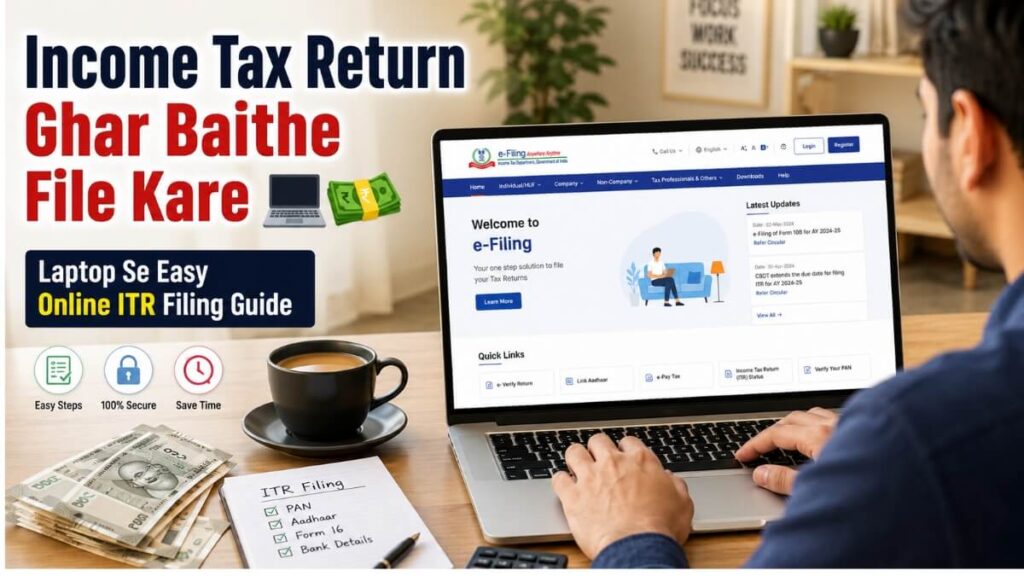
Step 2: Click e-Verify Return under the Quick Links section on the homepage.
Step 3: Enter your PAN, acknowledgement number, and assessment year.
Step 4: Choose your preferred method such as Aadhaar OTP or EVC.
Step 5: Complete verification. A success message confirms the process is done.
How to Check e-Verification Status
After completing the process, you can verify the status as follows.
Step 1: Log in to the e-filing portal.
Step 2: Go to e-File, Income Tax Returns, then View Filed Returns.
Step 3: The verification status shows as Verified once successfully done. This also confirms that how to e-verify income tax return online has been completed correctly for your return.
You can also track your refund status from the same section.
Common Mistakes to Avoid
When learning how to e-verify income tax return online, avoid these common errors. Missing the 30-day deadline is the most frequent mistake — always e-verify on the same day you file. Using Aadhaar OTP with an outdated mobile number will cause the OTP to not arrive. Attempting EVC generation without a pre-validated bank or demat account will result in failure. Forgetting to install emSigner before DSC verification is also a common issue.
What Happens If You Do Not e-Verify?
Not completing e-verification within 30 days has serious consequences. Your ITR is treated as not filed. You will not receive your tax refund. You may face interest under Section 234A. You will need to file a condonation of delay request and wait for departmental approval.
Prevention is always better — file and immediately complete how to e-verify income tax return online in the same session. Every taxpayer who wants timely refunds must prioritize how to e-verify income tax return online without delay.
Tips to Make e-Verification Easy
Link your PAN with Aadhaar before the filing season begins — this takes a few days to process so do it early. Pre-validate your bank account on the portal at least a week before filing. Keep your Aadhaar-registered mobile number active and updated with UIDAI. Save your ITR acknowledgement number securely for future reference. E-verify on the same day you file — never postpone this step. Knowing the full process in advance means there are no last-minute surprises.
If you are looking for ways to grow your income beyond your salary, read our guide on how to earn money online without investment to explore practical options that work in India.”
For official, up-to-date information on all e-filing procedures including how to e-verify income tax return online, always refer to the Income Tax Department’s official portal at incometax.gov.in
Frequently Asked Questions
Q1.What is the deadline to e-verify ITR for FY 2025-26?
You must complete how to e-verify income tax return online within 30 days of filing. Since the ITR deadline for FY 2025-26 is July 31, 2026, e-verify immediately after submission. Delaying risks your return being treated as invalid by the Income Tax Department.
Q2.Can I e-verify ITR without Aadhaar OTP?
Yes. Multiple alternatives exist for how to e-verify income tax return online without Aadhaar OTP. You can use EVC through a pre-validated bank account, EVC through a demat account, net banking verification, Digital Signature Certificate, or ATM-generated EVC. All are equally valid authentication methods.
Q3.What happens if my Aadhaar OTP does not arrive?
Check that your Aadhaar-registered mobile number is active and has a signal. Update your mobile number through myaadhaar.uidai.gov.in or the nearest Aadhaar enrollment center. Once updated, retry the process.
Q4.Can I e-verify ITR after 30 days?
Yes, through a condonation of delay request on the e-filing portal. The request must explain the reason for delay and requires departmental approval before your return becomes valid.
Q5.Is e-verification the same as ITR processing?
No. e-verification authenticates that you genuinely filed the return. Processing begins only after e-verification is complete and includes reviewing your data, assessing the return, and initiating your refund if applicable.
Q6.How long does refund take after e-verification?
After successful e-verification, straightforward returns are typically processed within 15 to 45 days. Refunds are credited to your pre-validated bank account. Complex cases may take longer depending on departmental review.
Conclusion
Every taxpayer who files an ITR must complete e-verification to make their return legally valid. With six methods available — Aadhaar OTP, net banking, bank EVC, demat EVC, DSC, and ATM-based EVC — there is a convenient option for every type of taxpayer.
The key rules are simple. Complete how to e-verify income tax return online within 30 days of filing without exception. Keep your Aadhaar mobile number updated at all times. Pre-validate your bank account on the portal before filing season. And always complete the entire process — from filing to e-verification — in one session.
Take action today. File your ITR for FY 2025-26 and immediately complete how to e-verify income tax return online to ensure full tax compliance this season.
Financial Disclaimer
The information in this article is for educational and informational purposes only. It does not constitute financial, legal, or tax advice. Tax laws and procedures are subject to change without prior notice. Please consult a qualified Chartered Accountant or tax professional for advice specific to your situation. Always refer to the official Income Tax Department website at incometax.gov.in for the latest rules and procedures related to ITR filing and e-verification.
Pingback: EPFO Life Certificate for Pensioners Online: 7 Easy Tips